
All You Need to Know About the Peach Dispute Process
19-01-2026
Main Takeaways
- If you can't reach an agreement with your counterpart, Peach offers the opportunity for both users to open a dispute.
- Before opening a dispute, try to communicate with the counterpart via the in-app chat. Reaching an agreement with your counterpart may be faster than opening an dispute.
- Stay within the established rules, which are reminded in the Chat.
Peer-to-peer (P2P) marketplace is a straightforward way for users to buy and sell Bitcoin, especially for those who like being able to choose their preferred payment method. Peach's self-custodial trading is secured by a 2-2 multisignature escrow system and a mediation service that steps-in during the dispute process.
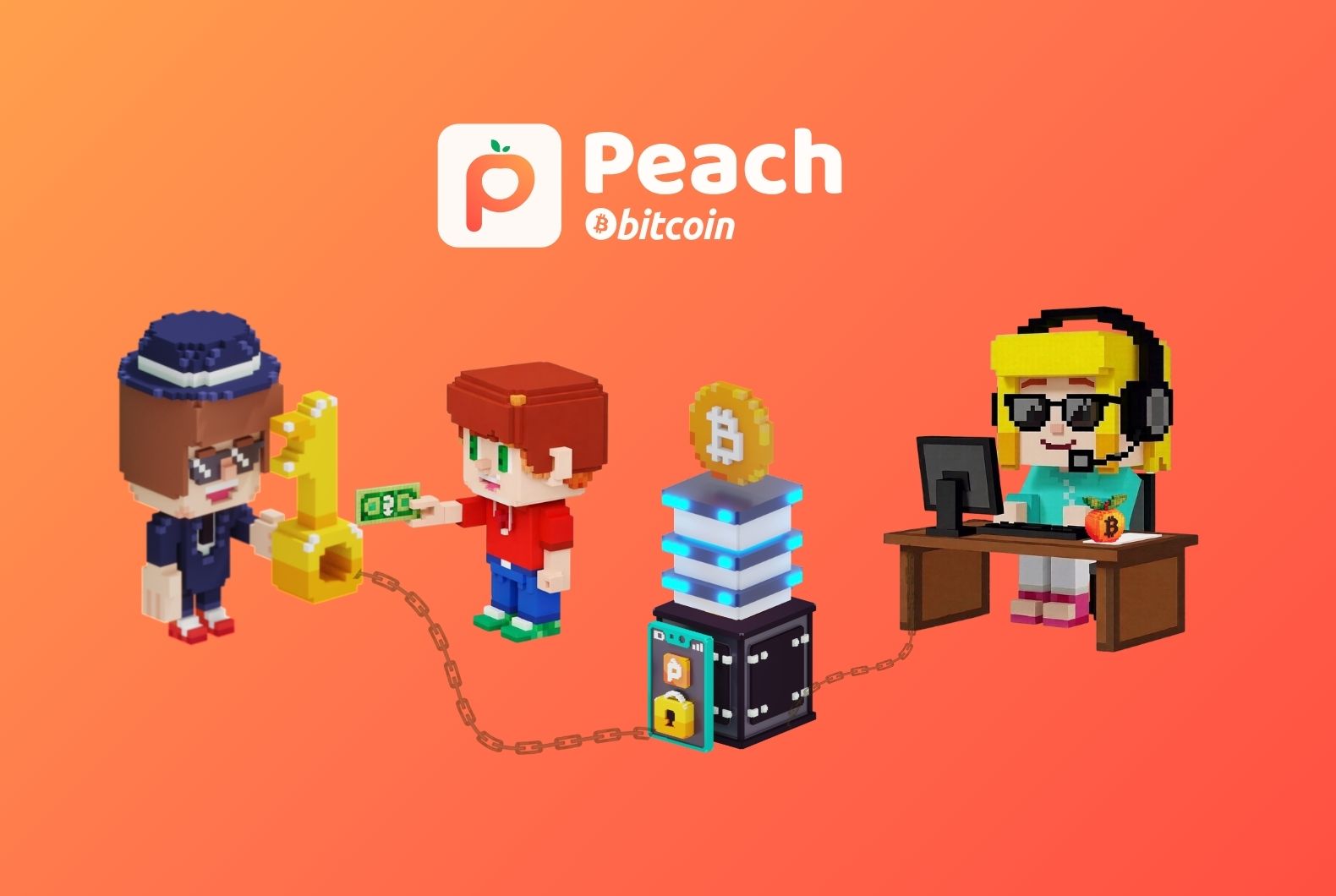
On Peach, users can buy and sell bitcoin among themselves without the need for an intermediary. While most transactions occur without any problems, experienced and new users should prepare themselves if a transaction doesn't go according to plan.
If a transaction doesn't go smoothly, Peach offers the opportunity for buyers and sellers to open a dispute. This is when the customer service team comes in to mediate between both parties and solve the issue. This article will walk you through how the dispute process works, when you should open a dispute and more.
When to Open a dispute?
Before opening a dispute, remember that you can click on the "Chat" button to chat with your counterpart. It is faster to reach an agreement with your counterpart than to open a dispute. However, if communication fails and you cannot agree to a solution, or the trade counterpart appears dishonest, within the chat you can tap on the top right red button and open a dispute. Our customer service will help you solve the problem. When a trade is disputed, the bitcoin will remain blocked until the case is resolved. Our mediator service will communicate with the users involved in the dispute within the chat and via email. Please take note that the dispute process is not instant, it can be a complicated process and may take time. We are grateful for your patience and understanding.
Reasons to Open a Dispute as a Seller
I received the payment from the buyer, but the amount is not correct: The buyer transfers the money to your account but the amount does not correspond to the amount indicated on the platform.
The buyer marked as paid but I did not receive the payment to my account: Contact the buyer and inform him that you have not received the payment on your account, if you do not reach an agreement through the chat, you can open a dispute.
I received payment from a third party account: Open a dispute. If the name on the buyer's account (e.g. bank account) does not match the name of the buyer included in trade payment data, the buyer has violated the rules and the bitcoin cannot be released, the seller must refund the money and the order will be canceled.
The buyer asks for a different payment method: The payment method to be used used is the one that has been set before opening the contract. Open a dispute if the buyer tells you that he will use a different payment method.
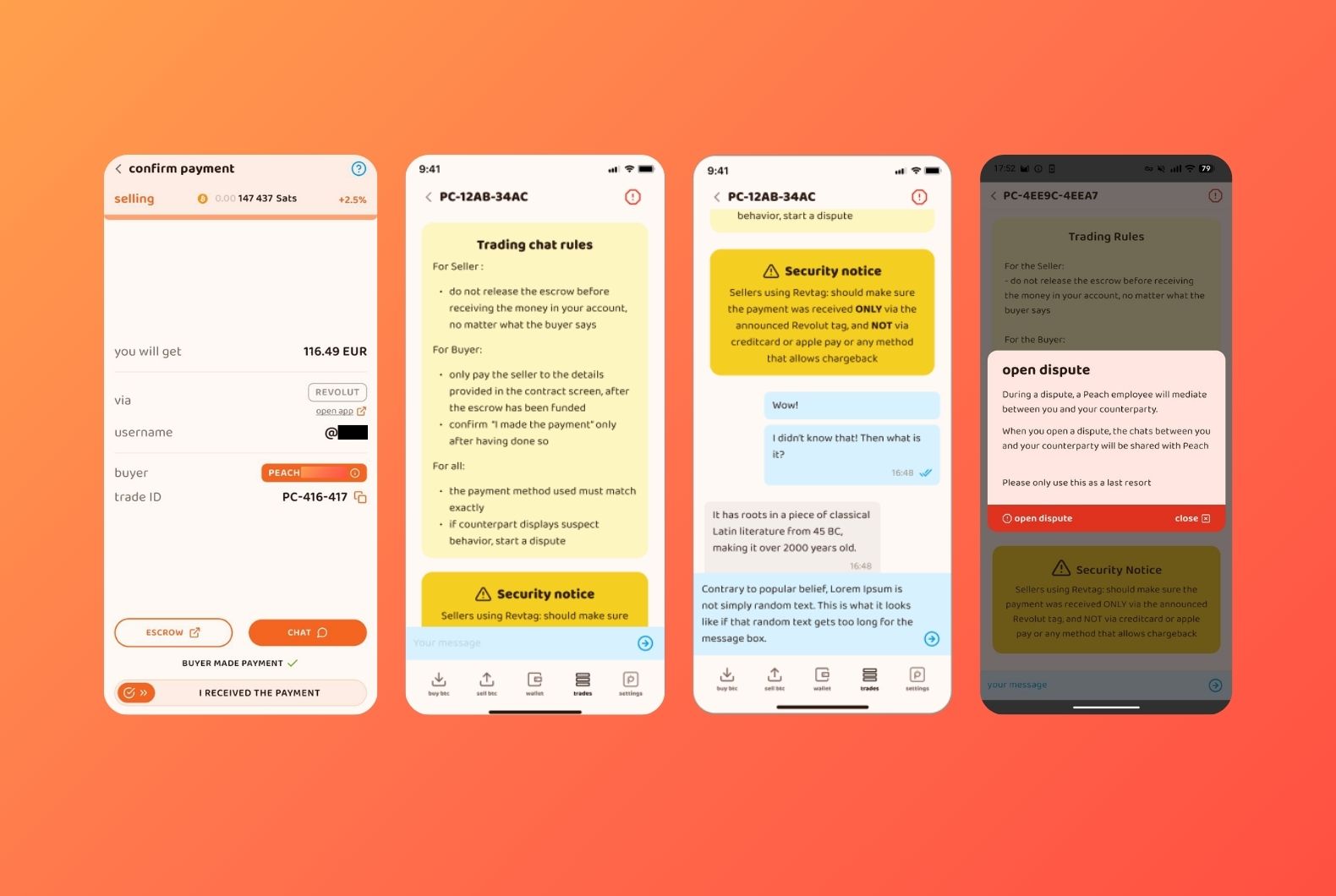
Others: You can also initiate a dispute if the buyer has violated the terms and conditions. For example, You are advised to continue the transaction through another platform or outside the Peach App. You can find more information about how trade disputes are handled in our FAQ.
Reasons to Open a Dispute as a Buyer
I made the payment, but the seller did not release the bitcoin: Before opening the dispute, contact the seller via chat and ask for the seller to check for the money (note that sometimes these transactions are not immediate). If the seller does not respond to chat messages or refuses to send the bitcoin, open a dispute.
The seller asks for a different payment method: The payment method used in the trade is the one that has been set before opening the contract. Open a dispute if the seller tells you the pre-set payment method does not work for him.
Pay the seller extra money: If you make a payment that exceeds the amount you set on the platform, you can chat with the other party to reach an agreement. If no agreement is reached, you can open a dispute, you will need to attach proof of payment, as per the instructions you will receive.
Others: You can also initiate a dispute if the buyer has violated the transaction policies. For example, You are advised to continue the transaction through another platform or outside the Peach App. You can find more information about how disputes are handled on Peach in our FAQ.
How Does the Dispute Process Work?
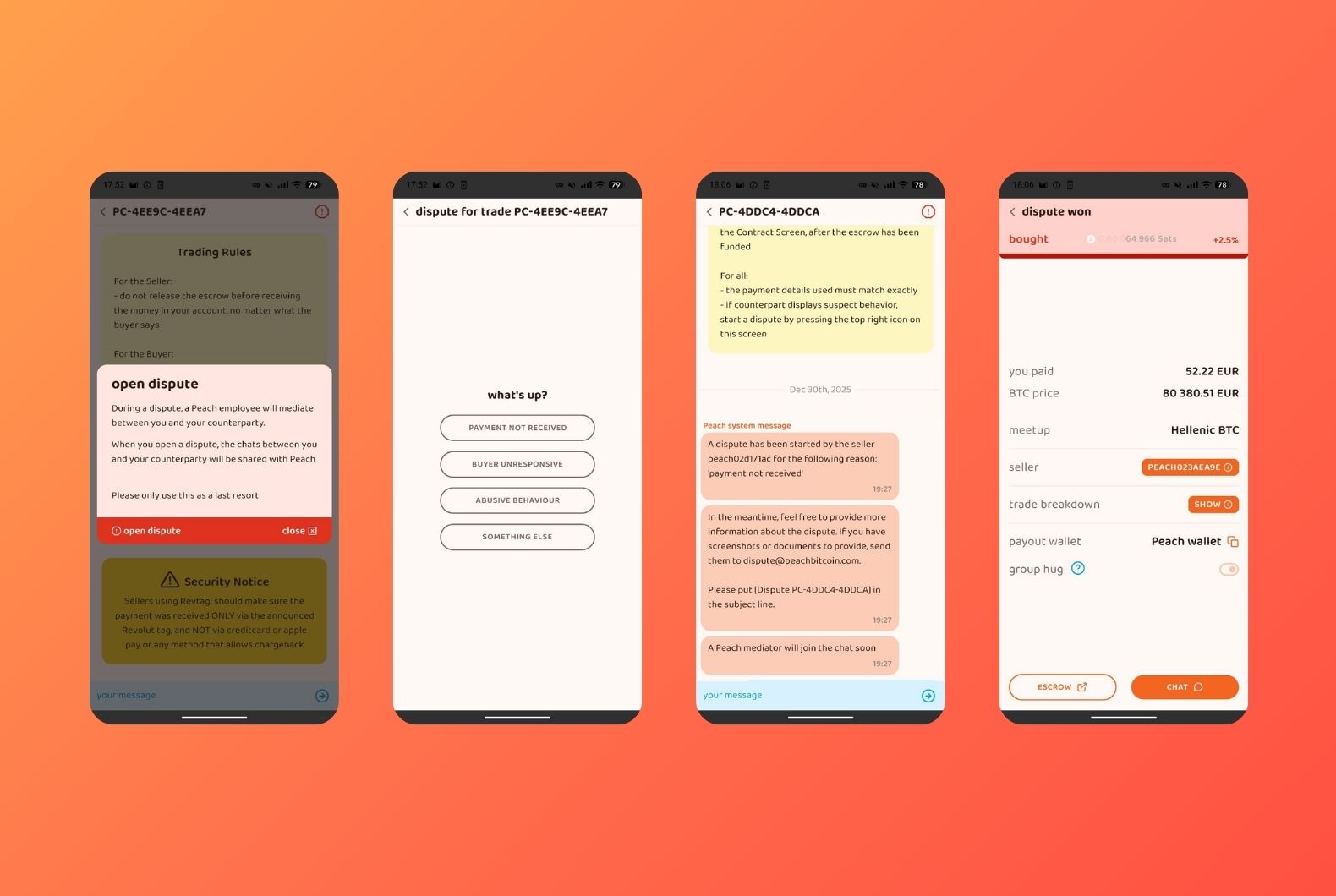
Before involving Peach Mediators, remember that you can directly chat with the counterpart. If you do not agree with the counterpart, initiate a dispute. The first step will be to mark the reason why you decided to open the dispute, these reasons are different for the buyer and the seller, as we have mentioned before.
Once the dispute is open, wait for a Peach mediator to join the chat. He will indicate the steps that will follow. The party that did not initiate the dispute will likely have to provide proofs of his honesty. The mediator often gives a 24 hour delay for either parties to provide documentations, depending on the chat history and the overall situation.
5 Useful Tips When Opening a Dispute.
- Be clear when you open the dispute in order to avoid mediator confusion. Communicate clearly the kind of action you need mediators' help with, either for canceling the order or releasing the order.
- Send relevant proof like proof of payment or no payment being made, don't attach a screenshot of conversations with the counterpart as proof of payment.
- Please allow mediators to respond to your dispute within a few hours to 24 hours
- Do not use abusive language with the mediator and your counterpart during the dispute process
- Always communicate using the in-App chat or via email if asked to, so that the mediator can follow the conversations ongoing between buyer and seller to avoid confusion.
Frequently Asked Questions about the Dispute Process
What should I do if the buyer sends the wrong amount?
If the buyer paid less than the amount stipulated in the order and clicked on "Confirm Payment" and did not send the remaining amount or could not be contacted within 24 hours, for the benefit of the seller, the seller must reimburse the amount and the order will be canceled. Negotiate with the buyer through the chat, if you do not reach an agreement you can open a dispute directly.
What should I do if a buyer sends money from a different bank account?
If the buyer's identity does not match with the details from the bank transfer, you can open a dispute directly. You will need to refund the account that sent the payment and attach the proof in an email so Peach Mediators can help solve the dispute.
I received the money after I opened the dispute. What should I do?
Please communicate it in the in-App chat, so the other party and the mediators are aware of it. The mediator will cancel the dispute and none of the parties will lose reputation, unless evidence of abuse.
I paid, but I forgot to mark the order as paid and it expired. What should I do?
The seller cannot release the escrow without you (the buyer) sliding the "I made the payment" button. At this point, the seller can either extend the payment window, send you the money back, or simply walk away. You should always mark as paid once you have done so. The best case is that the seller is honest and honorable, and you will get your bitcoin. In the worst case, he will walk away with the bitcoin.
How long will it take for Customer Service to get in touch after a dispute is opened?
Our customer service team will contact you within the next 24 to 48 hours.
How will Customer Care contact me?
Our customer service team will contact you via the trade chat, and may ask for information via email.
Get Started With Peach Bitcoin.
Want to start your P2P trading journey with Peach? Download the Peach app, and get started right away. No account registration, ID check or anything of the sort. Trade freely, right into self custody.

**For more information on Peach Bitcoin, you can read our helpful resources on our website.
January 25th, 2026